
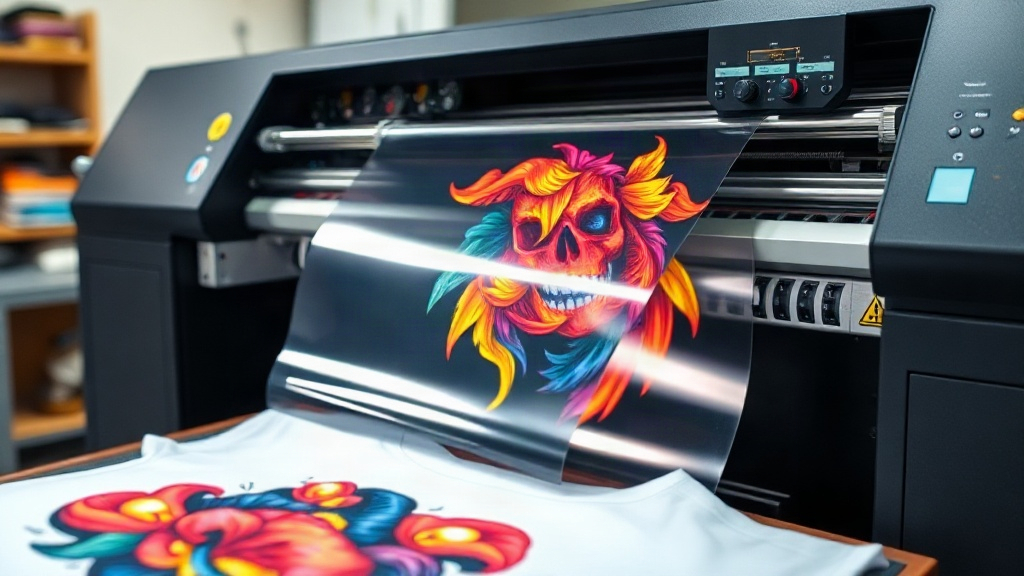
When I first started my print-on-demand (POD) business, I was overwhelmed by the options: screen printing, DTG, sublimation, and more. Each had its place, but none seemed to offer the flexibility and quality I needed for small-batch, full-color designs on demand. That is, until I discovered DTF printing. DTF, or Direct-to-Film, has quickly become a favorite among POD sellers for its ability to produce vibrant, detailed prints on a wide range of fabrics without the hassle of weeding or pre-treating. In this guide, I'll share what I've learned from my own experience, so you can decide if DTF is right for your business and how to get started.
What is DTF Printing?
DTF stands for Direct-to-Film. It's a printing method where your design is printed onto a special film, coated with a powder adhesive, and then heat-pressed onto the fabric. Unlike DTG (Direct-to-Garment), which prints directly onto the shirt, DTF allows you to transfer the design to almost any fabric, including cotton, polyester, blends, and even nylon. The process involves a few key steps:
- Print your design onto a PET film using a DTF printer and special DTF inks.
- Apply a hot-melt adhesive powder to the wet ink.
- Cure the powder with a heat gun or oven until it melts and becomes tacky.
- Heat-press the film onto the garment, then peel off the film while it's hot or cold, depending on the film type.
The result is a soft, stretchable print that adheres well and can withstand repeated washing. Because the design is printed on a film, you can prepare transfers in advance and store them, making it ideal for on-demand production.
Why Choose DTF for Print on Demand?
If you're running a POD business, you need a method that is efficient, cost-effective, and delivers high-quality results. DTF checks all these boxes. Here's why I prefer it over other methods:
1. No Weeding or Masking
With vinyl cutting, you have to weed out tiny details, which is time-consuming and prone to errors. DTF eliminates that entirely. You print, powder, cure, and press. That's it.
2. Works on Almost Any Fabric
DTG requires 100% cotton for best results. Sublimation needs polyester or a light-colored poly coating. DTF adheres to cotton, polyester, blends, leather, and more. This versatility means you can offer a wider range of products without investing in multiple printing setups.
3. Vibrant, Full-Color Prints
DTF printers use CMYK plus white ink, allowing for bright, opaque prints on dark garments. The white layer acts as a base, so colors pop even on black shirts. The details are crisp, and gradients look smooth.
4. Cost-Effective for Small Batches
Screen printing is cheap per unit for large orders, but the setup costs are high. With DTF, you can print one-off designs without minimums. The cost per print is higher than screen printing at scale, but for POD, where you produce on demand, it's more economical.
5. Durable and Washable
When done correctly, DTF prints last as long as the garment. They don't crack or fade easily if you follow the care instructions. I've washed DTF-printed shirts dozens of times, and they still look great.
Getting Started with DTF Printing
Ready to dive in? Here's what you need to know to set up your DTF workflow.
Equipment and Supplies
- DTF Printer: You can modify an Epson printer with DTF inks and a RIP software, or buy a dedicated DTF printer. Brands like Vivid, PolyPrint, and STS are popular.
- DTF Inks: Use high-quality DTF inks to avoid clogging and ensure vibrant colors.
- PET Film: Available in rolls or sheets. Choose a film that matches your printer and desired finish (hot peel or cold peel).
- Adhesive Powder: Usually TPU-based. Fine powder works best for detailed designs.
- Heat Press: A good heat press with even pressure and temperature control is crucial.
- Curing Oven or Heat Gun: To melt the powder. A heat gun works for small batches, but an oven is more consistent for larger volumes.
Step-by-Step DTF Process
- Design Preparation: Create your artwork in CMYK mode, mirror it, and set the white layer. Most RIP software handles this automatically.
- Printing: Load the PET film into the printer and print. Ensure the printer is set to the correct ink configuration.
- Powder Application: While the ink is wet, sprinkle the adhesive powder evenly over the print. Shake off excess.
- Curing: Place the film in a curing oven at around 160°C (320°F) for 2-3 minutes, or use a heat gun until the powder melts and looks glossy.
- Heat Pressing: Preheat your heat press to 160°C (320°F). Place the transfer on the garment, cover with a Teflon sheet, and press for 15-20 seconds with medium pressure.
- Peeling: Remove the film while hot (hot peel) or after it cools (cold peel), depending on the film. Hot peel is faster and leaves a smooth finish.
Practice on scrap fabric to dial in your settings. Temperature, pressure, and time can vary based on your equipment and materials.
Common DTF Challenges and How to Overcome Them
Like any printing method, DTF has its quirks. Here are some issues I've encountered and how to fix them.
Clogged Printheads
DTF inks contain white pigment, which can settle and clog nozzles if not used regularly. Run a daily cleaning cycle and keep the printer in a humid environment. If you're not printing for a few days, do a nozzle check and clean as needed.
Poor Adhesion
If the print peels off after washing, it's usually due to insufficient powder or under-curing. Make sure the powder is applied evenly and cured until it's fully melted. Also, ensure the heat press pressure is adequate. Too little pressure and the adhesive won't bond properly.
Color Issues
Colors may look dull if the white layer is too thin or if the ink is not properly cured. Use a RIP software to control ink limits and white density. Also, calibrate your printer regularly with ICC profiles.
Film Wrinkling
Wrinkled film can cause uneven prints. Store film flat and avoid humidity. If wrinkles occur, you can try pressing the film lightly before printing.
DTF vs. Other Printing Methods
How does DTF stack up against DTG, sublimation, and vinyl? Here's a quick comparison:
- DTG: Best for 100% cotton, no minimums, but requires pre-treatment and can be slow. DTF is faster and works on more fabrics.
- Sublimation: Only for polyester or poly-coated items, and colors are limited to light backgrounds unless you use white toner. DTF works on dark colors and natural fabrics.
- Vinyl: Good for simple designs, but weeding is tedious and multi-color designs require layering. DTF handles complex art in one press.
For POD, DTF offers the best balance of quality, versatility, and ease of use.
Tips for Success with DTF Printing on Demand
After months of trial and error, I've compiled these tips to help you succeed:
- Invest in a reliable printer. A cheap printer may save money upfront but cost you in maintenance and inconsistent results.
- Use quality supplies. Off-brand inks and films can ruin your prints. Stick with reputable brands.
- Master your heat press. Calibrate temperature and pressure regularly. Use a infrared thermometer to check the actual platen temperature.
- Store transfers properly. Keep them in a cool, dry place away from direct sunlight. They can last for months.
- Test washability. Before selling, wash a sample garment to ensure durability.
- Offer care instructions. Tell customers to wash inside out in cold water and avoid ironing directly on the print.
Frequently Asked Questions
How long do DTF prints last?
With proper care, DTF prints can last as long as the garment. They withstand dozens of washes without fading or cracking if you follow care instructions like washing inside out and avoiding high heat.
Can I use DTF on 100% polyester?
Yes, DTF works great on polyester. The adhesive bonds well to synthetic fibers, and the print remains stretchable. Just be mindful of the heat press temperature to avoid scorching the fabric.
Do I need a special printer for DTF?
You can convert an Epson printer with DTF inks and a RIP software, or buy a dedicated DTF printer. Dedicated printers are easier to maintain and produce more consistent results, but conversions are a budget-friendly option.
Is DTF printing profitable for print on demand?
Absolutely. The ability to print on demand without minimums and on various fabrics means you can offer unique products with high margins. The cost per print is reasonable, and you can scale as you grow.
What is the difference between hot peel and cold peel DTF film?
Hot peel film allows you to remove the film immediately after pressing while it's still hot, resulting in a smooth finish. Cold peel requires you to wait until the transfer cools before peeling, which can give a slightly different texture. Both work well; it's a matter of preference and workflow.