
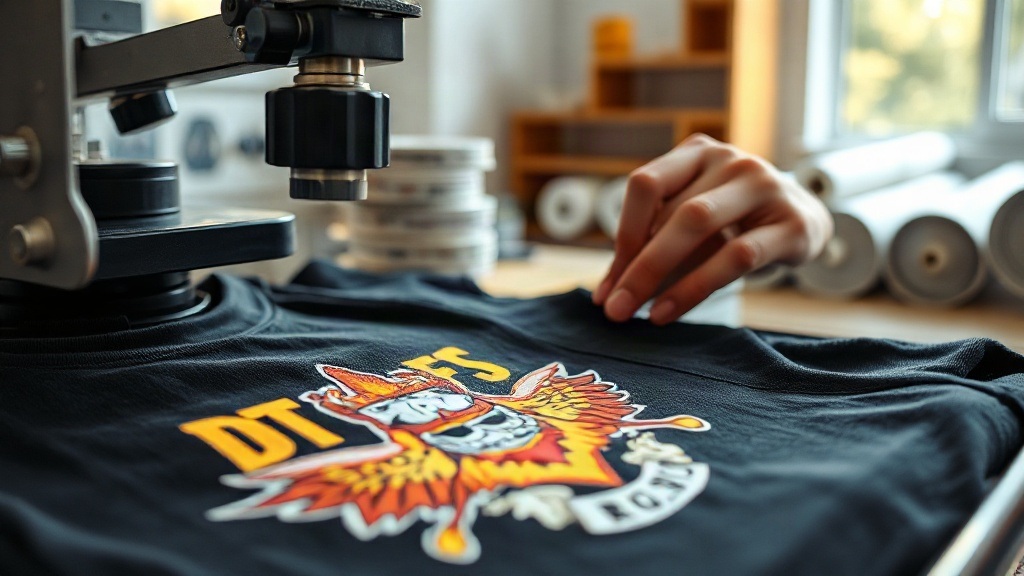
Imagine creating custom patches and apparel with designs so vibrant and detailed they seem to leap off the fabric. That's the power of DTF printing, a technology that's rapidly become a favorite among crafters, small businesses, and major brands alike. Unlike traditional methods that struggle with complex gradients or fine lines, DTF printing delivers photo-realistic quality on almost any fabric. Whether you're making patches for a local club or printing t-shirts for your online store, DTF printing offers flexibility and durability that's hard to beat.
In this guide, we'll walk you through everything you need to know about DTF printing, from how it works to why it's ideal for custom patches. We'll also share practical tips to help you get started, whether you're a hobbyist or a seasoned professional.
What Is DTF Printing?
DTF stands for Direct to Film. It's a printing method where your design is printed onto a special film, coated with adhesive powder, and then heat-pressed onto fabric. The process is surprisingly straightforward: first, a printer lays down a layer of white ink (for opacity) followed by CMYK colors, creating a mirror image of your design on a PET film. Then, a powder adhesive is applied while the ink is still wet. After shaking off the excess, the film is cured, and the design is ready to be transferred.
The magic happens during heat pressing: the adhesive melts, bonding the ink to the fabric. Once you peel away the film, your design remains, flexible and wash-resistant. This method works on cotton, polyester, blends, and even tough materials like canvas and denim. That versatility is why DTF printing has become a go-to for custom patches and apparel.
Why Choose DTF for Custom Patches?
Custom patches are a fantastic way to add personality to jackets, bags, hats, and more. But not all printing methods are suited for patches. Here's why DTF stands out:
- Unmatched detail: DTF printing captures fine lines, small text, and complex gradients that other methods often miss. If your patch design includes a detailed logo or a photograph, DTF will reproduce it with stunning accuracy.
- No color limits: Unlike screen printing, which requires a separate screen for each color, DTF printing uses CMYK+White, so you can print unlimited colors in one go. This makes it cost-effective for multicolor designs.
- Durability: When applied correctly, DTF transfers withstand repeated washing without cracking or fading. They're also stretchable, so they move with the fabric.
- Material versatility: You can apply DTF transfers to cotton, polyester, leather, and even some synthetic materials. That means you're not limited to specific patch bases.
- Soft feel: Unlike vinyl or screen-printed patches that can feel stiff, DTF transfers have a soft, flexible hand feel that's comfortable to wear.
For businesses selling custom patches, DTF printing allows for quick turnaround and low minimums. You can produce one-off patches or small batches without the setup costs of traditional printing.
The DTF Printing Process Step by Step
Understanding the process helps you troubleshoot issues and get the best results. Here's a breakdown of each stage:
1. Design Preparation
Start with a high-resolution image (300 DPI is ideal). Your design should be in a format your printer software supports, like PNG or TIFF. Remember that the image will be printed in mirror mode, so text must be reversed. Most DTF printers come with RIP software that handles this automatically.
2. Printing onto Film
The printer lays down white ink first, followed by CMYK inks. The white layer acts as a base, ensuring colors pop on dark fabrics. The film is coated with a release layer that allows the ink to transfer later. It's crucial to use high-quality DTF film and inks to avoid clogging and ensure vibrant results.
3. Applying Adhesive Powder
While the ink is still wet, the printed film is sprinkled with a thermoplastic adhesive powder. You then shake off the excess and return it to the powder station. The powder sticks only to the wet ink. This step is critical: too much powder can cause a rough texture, while too little leads to poor adhesion.
4. Curing the Powder
The film goes into a curing oven or under a heat gun until the powder melts and becomes glossy. This usually takes 2-3 minutes at around 160°C (320°F). Proper curing ensures the adhesive will bond permanently to the fabric.
5. Heat Pressing
Set your heat press to 160°C (320°F) with medium pressure. Place the transfer on the fabric, cover with a protective sheet, and press for 10-15 seconds. Then, peel the film off while it's still warm (or cold, depending on the film type). The result is a vibrant, durable design that's ready to wear.
DTF vs. Other Printing Methods
How does DTF compare to screen printing, DTG, and vinyl? Let's break it down:
- Screen printing: Great for large orders with few colors, but expensive for small runs and limited in detail. DTF wins for complex, multicolor designs and small batches.
- DTG (Direct to Garment): Best for 100% cotton and light colors; DTG inks can fade on dark fabrics. DTF works on any color and fabric.
- Vinyl: Ideal for simple text and shapes, but not for detailed images. Vinyl also has a heavier feel. DTF offers more design freedom and a softer touch.
For custom patches, DTF is often the best choice because it combines detail, durability, and versatility without breaking the bank.
Practical Tips for Perfect DTF Transfers
Getting flawless results requires attention to detail. Here are some expert tips:
- Choose the right film: Not all films are created equal. Look for films designed for your printer and ink type. Some films are hot-peel, others cold-peel; using the wrong one can ruin the transfer.
- Control humidity: DTF printing is sensitive to moisture. Store film and powder in a dry place, and avoid printing in humid conditions.
- Test your powder: Different powders have different melt points. Experiment to find the right amount and curing time for your setup.
- Pre-press garments: Before pressing, pre-press the fabric for a few seconds to remove wrinkles and moisture. This ensures a smooth, even transfer.
- Use a heat press, not an iron: Irons don't provide consistent pressure and temperature. A heat press is essential for professional results.
- Wash inside out: To extend the life of your DTF prints, wash garments inside out in cold water and avoid harsh detergents.
These small steps can make a big difference in the quality and longevity of your custom patches and apparel.
Common DTF Problems and How to Fix Them
Even with experience, you might run into issues. Here's how to troubleshoot common problems:
- Ink cracking after wash: This usually means the transfer wasn't pressed long enough or at high enough temperature. Increase pressing time or temperature slightly.
- Poor adhesion: Could be due to insufficient powder, under-curing, or pressing on a fabric with a coating (like waterproof jackets). Ensure the fabric is compatible and follow the steps precisely.
- Dull colors: Often caused by too much white ink or improper curing. Check your printer settings and ensure the white layer is thin but opaque.
- Film not peeling: If the film sticks, it might be because you're peeling at the wrong temperature. Check whether your film is hot-peel or cold-peel and act accordingly.
With a bit of practice, you'll be able to diagnose and fix these issues quickly.
Applications of DTF Printing Beyond Patches
While custom patches are a major use case, DTF printing opens doors to many other products:
- T-shirts and hoodies: Create vibrant, all-over prints or small logos with ease.
- Tote bags: Add colorful designs to canvas bags for a personalized touch.
- Sports jerseys: Print names and numbers that stretch with the fabric.
- Home decor: Personalize pillowcases, curtains, and more.
- Promotional items: Branded merchandise like caps and aprons.
The possibilities are vast, limited only by your creativity.
Frequently Asked Questions About DTF Printing
Can I use DTF printing on 100% polyester?
Yes, DTF printing works well on polyester. However, polyester can be sensitive to high heat, so use a lower temperature (around 150°C) and test first. The transfer may have a slightly different feel on polyester compared to cotton, but it will still be durable.
How long do DTF prints last?
With proper application and care, DTF prints can last as long as the garment itself. They withstand dozens of washes without fading or cracking. To maximize longevity, wash inside out in cold water and avoid ironing directly on the print.
Do I need a special printer for DTF?
You can convert a standard inkjet printer to DTF by using DTF inks and film, but dedicated DTF printers are recommended for consistent results. They have modified printheads and ink systems designed for the white ink and powder process.
Is DTF printing cost-effective for small batches?
Absolutely. Unlike screen printing, which requires setup fees per color, DTF has no minimum order and low setup costs. It's ideal for small businesses, crafters, and anyone needing one-off custom patches or apparel.
What fabrics can I use with DTF?
DTF transfers adhere to cotton, polyester, blends, leather, denim, canvas, and more. The key is to ensure the fabric can withstand the heat press temperature (usually 160°C). Avoid fabrics with special coatings that might prevent adhesion.
With its incredible detail, durability, and versatility, DTF printing is transforming the world of custom patches and apparel. Whether you're a DIY enthusiast or a business owner, embracing this technology can elevate your creations and streamline your production. So why not give it a try? Your next masterpiece is just a heat press away.